If you have applied for a Dubai visa and want to know whether it has been issued, is still valid, or requires further action, you can use official UAE online services to check your visa information. With a smartphone, internet connection, and the relevant passport or application details, checking your Dubai visa status can be much easier than visiting an office.
However, one important point should be understood: Dubai visa checking is not always possible with the passport number alone. Depending on the service, you may also need your nationality, date of birth, application number, file number, or other details. The UAE Government confirms that Dubai visa applications and visa validity are handled through the General Directorate of Residency and Foreigners Affairs – Dubai (GDRFA), while other emirates generally use the Federal Authority for Identity, Citizenship, Customs and Port Security (ICP). (U.AE)
This guide explains how to check your Dubai visa online, what information you may need, how to check visa validity, and what to do if your visa information does not appear.
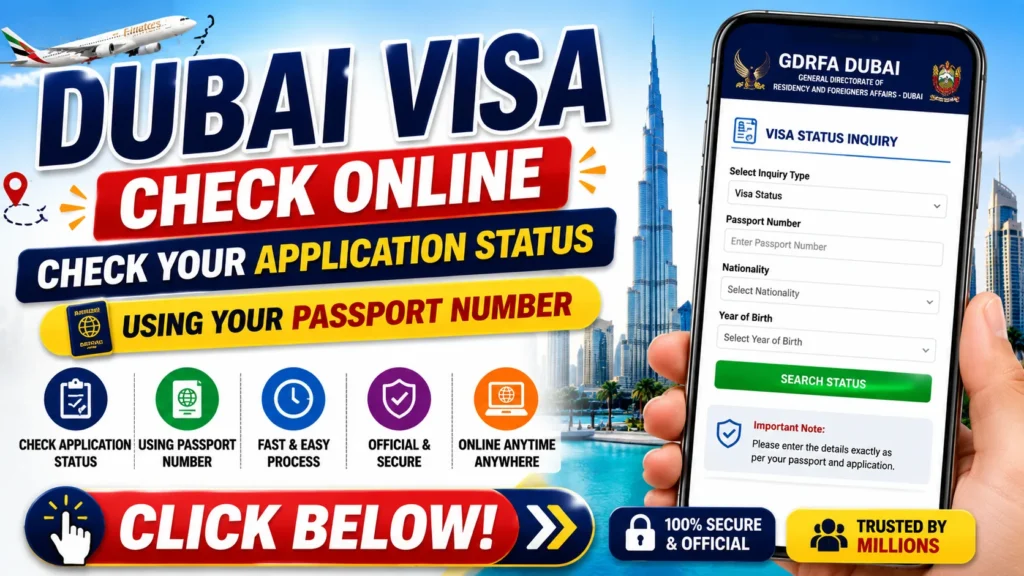
What Is a Dubai Visa Status Check?
A Dubai visa status check allows applicants and visa holders to verify information about their entry permit or visa through an official online service.
Depending on the service and type of visa, you may be able to check information such as:
- Application or visa status
- Entry permit information
- Visa validity
- Issue date
- Expiry date
- File-related information
- Other available visa details
The exact information displayed depends on the record and service being searched.
Can You Check a Dubai Visa Using Only a Passport Number?
This is one of the most common questions.
The answer is not always. GDRFA Dubai’s visa-status service supports passport-based inquiries, but the current online form can ask for additional information such as passport number, nationality, and year of birth, depending on the inquiry option. (GDRFAD)
For a separate application-status tracker, GDRFA asks for an application reference number and the email address used during the application, rather than passport number alone. (Identity & Foreigners Affairs)
Therefore, if you only have your passport number, try the official GDRFA visa-status service and keep your nationality and date-of-birth information available.
How to Check Dubai Visa Online
Step 1: Open the Official GDRFA Website
Use the official GDRFA Dubai website and locate the visa-status or application-status service.
The UAE Government specifically directs applicants who applied for a Dubai visa to use GDRFA Dubai to track their application and check visa validity. (U.AE)
Step 2: Select the Relevant Inquiry
Choose the service that matches what you want to check.
If you want to verify an issued entry permit or visa, use the visa-status/validity inquiry. If you want to track an application that is still being processed, use the application-status tracker where applicable.
Step 3: Enter Your Details
Depending on the selected service, you may need:
- Passport number
- Nationality
- Date or year of birth
- Application number
- Transaction number
- File number
- Email address used for the application
The exact information required can differ between GDRFA services.
Step 4: Complete the Security Verification
If the website displays a security or verification step, complete it carefully.
Step 5: Submit the Search
Click the relevant search or inquiry button and wait for the result.
If your information matches the government record, the available visa or application information should appear.
Information You May Need
Keeping the following details ready can make the process easier:
| Details | Why It May Be Needed |
|---|---|
| Passport Number | Used for certain visa inquiries |
| Nationality | May be required for passport-based searches |
| Date/Year of Birth | Can help identify the correct record |
| Application Number | Used to track certain applications |
| Transaction Number | May be required for specific inquiries |
| File Number | Used for some GDRFA records |
| Application Email | Required by the GDRFA application tracker |
Not every service requires all of these details. Check the fields displayed on the official portal before submitting your search. (Identity & Foreigners Affairs)
How to Check Dubai Visa Validity
If your Dubai visa has already been issued, you may want to check its validity rather than simply checking the application status.
The official UAE Government portal states that Dubai visa validity, including issuance and expiry information, can be checked through GDRFA Dubai. (U.AE)
This can be useful before travelling because visa holders can confirm the relevant dates and avoid relying only on an old email, screenshot, or printed document.
What If Your Visa Is From Another Emirate?
Not every UAE visa is processed through Dubai.
According to the UAE Government, visa applications for Abu Dhabi, Sharjah, Ajman, Umm Al Quwain, Ras Al Khaimah, and Fujairah are generally tracked through ICP, while Dubai applications are handled through GDRFA Dubai. (U.AE)
So, if your visa was issued by another emirate, searching on the Dubai GDRFA portal may not produce the expected result.
For ICP services, application tracking can require an application number or other relevant identification details. (Identity Authority)
What Does Your Visa Status Mean?
The exact wording can vary, but a visa or application inquiry may provide information indicating whether an application is being processed, approved, issued, rejected, or otherwise requires attention.
Don’t assume that an application submitted successfully means the visa has already been approved.
Always check the latest official status shown by the relevant authority.
Why Can’t I Find My Dubai Visa?
There can be several reasons.
Incorrect Information
A small mistake in your passport number, nationality, date of birth, or application number can prevent the system from finding your record.
Wrong Authority
If your visa was issued outside Dubai, you may need to use ICP rather than GDRFA.
Application Still Processing
If your application has not yet been processed or updated, the expected information may not appear.
Technical Issue
Government websites can occasionally experience maintenance or temporary technical problems.
Old or Incorrect Application Details
If your sponsor, travel agency, or employer submitted the application, verify the application or reference number they provided.
Tips for Checking Your Visa Safely
Always use official UAE government websites when checking sensitive visa information.
Avoid websites that promise instant visa approval or ask for unnecessary personal information.
You should also avoid sharing your passport number, application details, or personal documents publicly on social media or with unknown individuals.
If an agent submitted your application, ask them for the official application or reference number so that you can independently verify the status.
Frequently Asked Questions
1. Can I check my Dubai visa with my passport number?
You can use passport-based inquiry services for certain Dubai visa checks, but passport number alone may not always be sufficient. GDRFA’s current inquiry form can require additional information such as nationality and year of birth. (GDRFAD)
2. Which website should I use for a Dubai visa?
For visas issued by Dubai, the UAE Government directs users to GDRFA Dubai for visa application tracking and visa-validity checks. (U.AE)
3. Can I check my visa status from my phone?
Yes. You can use a smartphone browser to access the official GDRFA online services, provided your device has an internet connection.
4. What if I don’t have my application number?
If you are checking an issued visa, a passport-based inquiry may be available depending on the service. For application tracking, however, GDRFA’s application tracker asks for the application reference number and the email used during the application. (Identity & Foreigners Affairs)
5. Can I check a Dubai visa from outside the UAE?
Yes. Dubai visa information can be checked through the relevant online GDRFA services. For visa inquiries from outside the UAE, the UAE Government lists GDRFA contact information for further assistance. (U.AE)
6. What should I do if my visa information is incorrect?
First, carefully check the information you entered. If the problem continues, contact GDRFA or the sponsor/authorized service provider that submitted the application.
7. Is a passport number enough to prove visa approval?
No. A passport number by itself should not be treated as proof that a visa has been approved. Always verify the official visa or application record.
8. Is the Dubai visa check service free?
Availability of online inquiry services and any fees for specific reports or services can vary. Check the official GDRFA service page for the current requirements.
Conclusion
Checking a Dubai visa online can save time and help travellers confirm their visa information before making travel plans. The official UAE Government recommends using GDRFA Dubai for Dubai-issued visas, while visas from other emirates are generally checked through ICP. (U.AE)
Although many people search for “Dubai Visa Check Online Using Passport Number,” passport number alone is not guaranteed to be enough for every type of inquiry. Depending on the service, you may also need nationality, date of birth, application number, file number, or other details.
For the safest and most accurate result, use the official government portal, enter your information carefully, and verify the displayed status before travelling.
Before your trip, check your Dubai visa status and validity online using the official GDRFA service and keep your passport and application details ready.