Have you ever wanted to set your favorite song, music clip, or a memorable audio track as your phone ringtone? With a Free Ringtone Maker App, you can easily turn your favorite audio into a personalized ringtone right from your smartphone.
You no longer need complicated computer software or advanced editing skills. A ringtone maker app can help you cut, trim, edit, and customize audio files in just a few simple steps. Whether you love Bollywood songs, instrumental music, notification sounds, funny audio clips, or your own recordings, creating a custom ringtone can make your phone feel more personal.
In this guide, we’ll explain how ringtone maker apps work, their key features, how to create a ringtone, supported audio formats, important things to consider before downloading an app, and frequently asked questions.
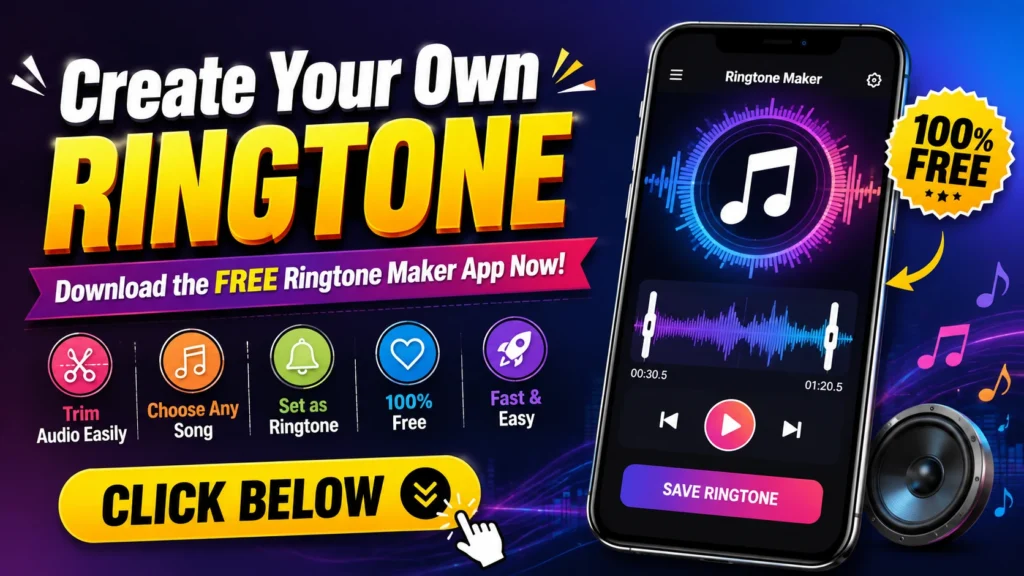
What Is a Ringtone Maker App?
A ringtone maker app is a mobile application that allows users to create customized ringtones from audio files stored on their phones.
Instead of using an entire song, you can select your favorite section and use it as your ringtone. Most ringtone maker apps provide basic audio editing tools that allow you to select the starting and ending points of an audio clip.
For example, if your favorite part of a song starts at 1:20 and ends at 1:50, you can trim that section and save it as a ringtone.
Many apps also allow users to create:
- Phone ringtones
- Alarm sounds
- Notification sounds
- Contact-specific ringtones
- Short music clips
- Custom audio alerts
This makes ringtone maker apps useful for anyone who wants more control over their phone’s sounds.
Why Use a Free Ringtone Maker App?
The biggest advantage is convenience. You can create a ringtone directly from your smartphone without needing a computer.
A good ringtone maker app can offer several useful features in one place.
1. Easy Audio Trimming
You can choose exactly which portion of an audio file you want to use. This is especially useful when you only want the chorus, instrumental section, or another favorite part of a song.
2. Create Personalized Ringtones
Your ringtone doesn’t have to be the default sound that comes with your phone. You can create something unique using your favorite audio.
3. Simple Editing Tools
Most ringtone maker apps are designed for beginners. Basic functions such as trimming, cutting, previewing, and saving can usually be completed with just a few taps.
4. Multiple Audio Formats
Depending on the app, you may be able to work with popular audio formats such as MP3, WAV, AAC, and M4A.
5. Create Notification Sounds
A ringtone maker isn’t necessarily limited to incoming calls. Short audio clips can also be used for notifications or alarms, depending on your phone and app.
Key Features to Look for in a Ringtone Maker App
Before downloading any ringtone maker app, it’s worth checking what features it offers.
| Feature | Why It Is Useful |
|---|---|
| Audio Trimmer | Helps select your favorite part of a song |
| Audio Cutter | Removes unwanted sections |
| Audio Preview | Lets you hear the clip before saving |
| Multiple Formats | Provides better file compatibility |
| Easy Interface | Makes editing simple for beginners |
| Ringtone Export | Saves the finished audio for use on your phone |
| Notification Support | Can create short alert sounds |
| Alarm Support | Allows suitable audio clips to be used for alarms |
| File Management | Helps find and organize created ringtones |
| Custom Naming | Makes saved ringtones easier to identify |
A simple interface is particularly important if you’re new to audio editing.
How to Create Your Own Ringtone
Creating a custom ringtone is generally a straightforward process. The exact steps can vary depending on the app and smartphone operating system.
Step 1: Download a Ringtone Maker App
Start by choosing a reputable ringtone maker app from your phone’s official app store. Check the app’s ratings, reviews, permissions, and developer information before installing it.
Step 2: Select an Audio File
Open the app and choose an audio file available on your device. You can select a compatible song, recording, music clip, or other audio file that you have permission to use.
Step 3: Trim the Audio
Use the trimming or cutting tool to select the section you want.
You can usually move the start and end markers to determine the exact portion of the audio.
Step 4: Preview Your Ringtone
Before saving, listen to the selected section. Make sure the beginning and ending points sound natural.
Step 5: Save the Audio
Give your ringtone a recognizable name and save it in the appropriate audio format.
Step 6: Set It as Your Ringtone
Depending on your phone and app, you may be able to set the new audio directly as your ringtone. Alternatively, you can open your phone’s sound settings and select the saved audio file manually.
How Long Should a Ringtone Be?
There is no universal length that works for every phone, but a short and recognizable clip is generally more convenient than a very long audio file.
A ringtone should ideally begin with an audible section rather than a long period of silence. If you’re using a song, selecting a memorable portion can make the ringtone more noticeable.
For notifications, shorter sounds are usually more appropriate because notification alerts are intended to be quick.
Ringtone Maker App vs. Traditional Ringtones
Traditional ringtones are usually pre-installed on your smartphone. While they are convenient, they may not offer much personalization.
A ringtone maker app gives you more control.
| Traditional Ringtone | Custom Ringtone |
|---|---|
| Usually pre-installed | Created by the user |
| Limited selection | Wide range of audio options |
| Same sounds for many users | Personalized audio |
| No editing required | Audio can be trimmed |
| Limited customization | More control over the final sound |
If personalization is important to you, creating your own ringtone can be a better option.
What Audio Formats Can Be Used?
The available formats depend on the ringtone maker app and your smartphone. Common formats include:
- MP3 – One of the most widely supported audio formats.
- WAV – Often associated with high-quality audio.
- AAC – Commonly used on modern devices.
- M4A – Frequently found in music and audio files.
Before editing an audio file, check whether the app supports its format.
Tips for Making a Better Ringtone
Creating a ringtone is easy, but a few simple tips can make the result much better.
Choose a Clear Section
Select a portion of the audio where the vocals or music are clear. Avoid sections dominated by silence or background noise.
Avoid Extremely Long Clips
A ringtone doesn’t necessarily need to contain an entire song. A short, recognizable section can work better.
Check the Volume
Make sure the selected audio isn’t too quiet. A ringtone that is difficult to hear may cause you to miss calls.
Preview Before Saving
Always listen to the edited clip before exporting it. This helps you identify unwanted silence, sudden cuts, or other problems.
Give Files Meaningful Names
Instead of saving files with generic names, use names that help you identify them later, such as “Favorite Song Ringtone” or “Call Ringtone.”
Is a Free Ringtone Maker App Safe?
Safety depends on the specific app and its developer. Before installing an app, consider checking its developer information, user reviews, download history, permissions, and privacy information.
Be cautious if a ringtone app requests permissions that don’t appear necessary for its basic functionality.
For example, an audio editing app may reasonably need access to audio files, but users should understand why other permissions are being requested.
It is also a good idea to download applications from official app stores and keep your phone’s operating system and security software updated.
Things to Check Before Downloading
Before installing a free ringtone maker app, consider these points:
App Rating: Check the overall rating and recent reviews.
Features: Make sure the app includes the editing tools you need.
Compatibility: Check whether the app supports your smartphone and operating system.
Permissions: Review the permissions requested by the app.
Privacy: Read the available privacy information to understand how your data may be handled.
Ads: Some free apps may contain advertisements or offer optional paid features.
Updates: An actively maintained app may provide better compatibility and security over time.
Can You Create a Ringtone From Your Own Recording?
Yes, if the app supports importing or recording audio, you may be able to turn your own recording into a ringtone.
For example, you could record a short voice message, sound effect, instrumental performance, or other original audio and then trim it into a suitable ringtone.
This can be especially useful for creating completely unique sounds.
Remember to use audio that you own or have permission to use.
Personalize Your Phone With Custom Ringtones
Your smartphone is more than a device for calls and messages. Customizing its sounds can make the overall experience more personal.
A ringtone maker app allows you to choose the exact audio you want rather than relying only on the sounds included with your phone.
You can create different sounds for different purposes. For example, you might use one audio clip for incoming calls, another for notifications, and another for your alarm.
Some phones also allow individual contact ringtones, meaning you can assign a different ringtone to selected contacts.
Benefits of Creating Your Own Ringtone
There are several practical benefits to creating a custom ringtone:
- Personalization: Make your phone sound unique.
- Easy identification: Recognize your ringtone quickly.
- Creative freedom: Use your favorite audio.
- Simple editing: Select only the part you want.
- Convenience: Create ringtones directly on your smartphone.
- Multiple uses: Create sounds for calls, notifications, and alarms.
- No advanced skills required: Basic editing can be done easily.
Frequently Asked Questions (FAQ)
1. What is a free ringtone maker app?
A free ringtone maker app is a mobile application that allows users to edit audio files and create customized ringtones, notification sounds, or alarm sounds.
2. Can I make a ringtone from an MP3 file?
Yes. Many ringtone maker apps support MP3 files. However, supported formats can vary from one application to another.
3. Can I use part of a song as my ringtone?
If you have the necessary rights or permission to use the audio, you can generally select a section of the file and create a ringtone from it.
4. Do I need a computer to create a ringtone?
No. Many mobile ringtone maker apps provide basic audio editing features directly on smartphones, so a computer is not necessary for simple ringtone creation.
5. Can I create notification sounds with a ringtone maker?
Many apps allow you to create short audio clips that can be used as notification sounds, although the exact setup depends on your smartphone.
6. Can I use my own voice recording as a ringtone?
Yes, if the app supports the audio format and your phone allows the resulting file to be used as a ringtone.
7. Are free ringtone maker apps really free?
Some apps offer their basic features for free but may include advertisements, optional purchases, or premium features. Check the app’s listing before installing it.
8. How can I make a ringtone louder?
If the app includes a volume or amplification feature, you may be able to increase the audio level. However, excessive amplification can reduce audio quality.
9. Which audio format is best for a ringtone?
MP3 is a popular choice because it is widely supported and generally provides a good balance between audio quality and file size.
10. Is it safe to download ringtone maker apps?
Safety depends on the particular application. Download from trusted app stores, review permissions and privacy information, and check recent user feedback before installing.
Final Words
Creating a personalized ringtone doesn’t have to be complicated. With a Free Ringtone Maker App, you can select an audio file, trim your favorite section, preview it, save it, and use it as a custom ringtone on your smartphone.
Whether you want to use a favorite music clip, an original recording, or a unique notification sound, a ringtone maker app can give you an easy way to personalize your phone.
Before downloading any app, always check its features, compatibility, permissions, reviews, and privacy information. Most importantly, use only audio that you have the right or permission to use.
Ready to give your phone a personal touch? Download a trusted Free Ringtone Maker App and start creating your own ringtone today!